
- Published on
- (Updated November 4, 2026)
Roblox VPN Guide: Trading Access, Setup, and Safer Play
- Authors

- Name
- VPN Mall Editorial Team
This article contains affiliate links. If you buy through them, VPN Mall may earn a commission at no extra cost to you, and it does not affect how we evaluate services.
Prices and discounts in this article are as of 2026-11-04. Check the official site for current terms.
Featured service: ExpressVPN
Check current prices and discounts on the official site.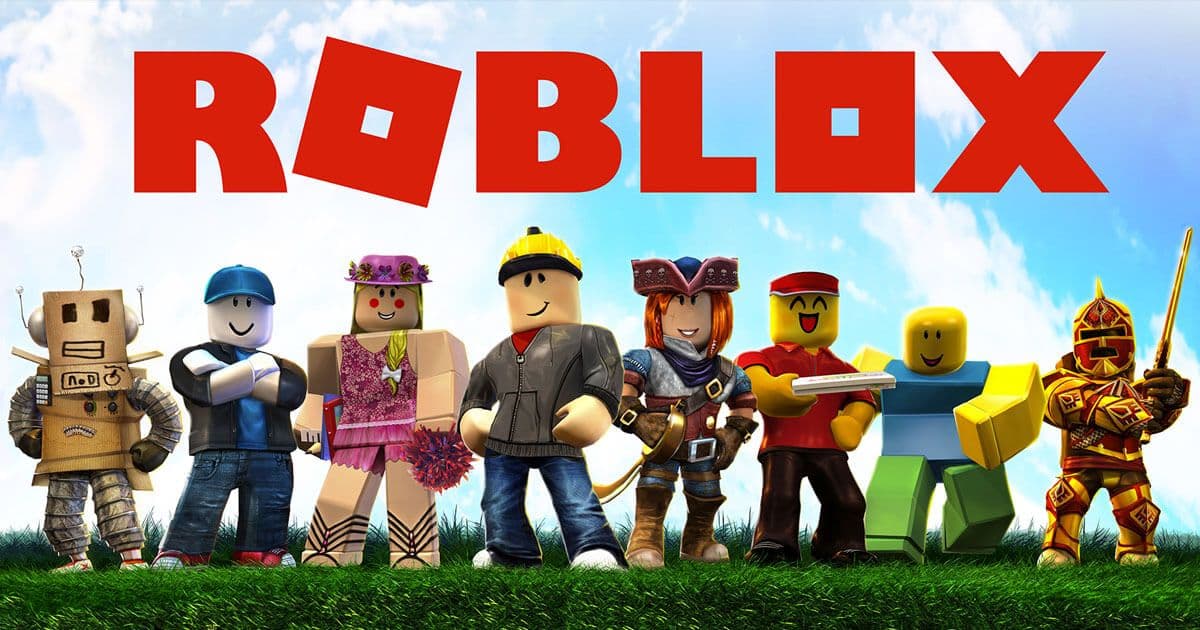
If you’re trying to use Roblox trading features and can’t get to them from your usual connection, you may be considering a Roblox VPN. A VPN routes your connection through a server in another country, which changes the IP address Roblox sees. That may help with access in some situations, but it can also add lag, and it does not guarantee that a feature will work.
For a quick starting point, Surfshark is the budget-oriented pick described here, NordVPN is the option for a broad choice of overseas servers, and ExpressVPN is positioned around speed. ProtonVPN has a free plan with unlimited data, although its speed and connection stability may be weaker. Before connecting, check Roblox’s current rules and your network’s policies; never treat a VPN as a way to bypass rules that apply to your account.
This guide compares those four services, walks through PC and mobile setup, and covers ping, account safety, and common connection problems. Prices and promotions are included only where the source gives a supported figure; its VPN prices are quoted in Korean won, so no USD price is stated here.
Table of Contents
- What is Roblox, and why consider a Roblox VPN?
- What a VPN changes—and what it cannot promise
- The three checks to make before choosing
- Four Roblox VPN options compared
- Surfshark: the value-focused option
- NordVPN: a wide choice of overseas servers
- ExpressVPN: a speed-focused option
- ProtonVPN: a free plan for occasional use
- At-a-glance comparison
- Free versus paid for Roblox
- Roblox VPN tips for different types of games
- Trading-focused experiences such as Adopt Me! and Royale High
- Fast-action experiences such as Arsenal and Phantom Forces
- Longer sessions in Jailbreak and Mad City
- Match the VPN choice to the session
- How to set up a Roblox VPN on PC and mobile
- Set up on a Windows PC or Mac
- Set up on an iPhone, iPad, or Android device
- Choose a server without making ping worse
- Troubleshooting Roblox VPN and trading access
- 1. Confirm the VPN is connected to the intended location
- 2. Restart Roblox after connecting
- 3. Compare another server
- 4. Check the network you are using
- Keep your Roblox account and trades safer
- Protect your password and sign-in
- Keep trades on supported channels
- Choose VPN apps carefully
- A Roblox VPN checklist for parents and players
- For parents
- For players
- Frequently asked questions about Roblox VPNs
- Why might Roblox trading access be unavailable?
- Can I use a free VPN for Roblox?
- Will a VPN make Roblox faster?
- Can I use a Roblox VPN on a phone or tablet?
- Is a VPN safe for children?
- Choosing a Roblox VPN: the practical takeaway
- More gaming and network guides
What is Roblox, and why consider a Roblox VPN?
Roblox is a game creation and hosting platform where players can explore experiences made by other users. David Baszucki and Erik Cassel founded the company in 2004, and the platform launched on August 27, 2006. Roblox is available on PC, mobile devices, and consoles, and playing is free. The platform’s virtual currency is Robux, which players can use to buy in-experience items. The source also describes a Builders Club membership that lets members create and sell items.
Experiences span genres such as role-playing games, first-person shooters, escape rooms, and racing. Examples named in the source include Arsenal, Jailbreak, Phantom Forces, Mad City, Ro-Ghoul, Adopt Me!, MeepCity, and Royale High. Trading can be a major part of some experiences, which is why access to trading features matters to players who collect or exchange items.
The source reports that Roblox had more than 164 million monthly active users as of August 2020, and says that more than half of US children under 16 played Roblox. Those are historical figures, not current user counts. They help explain the platform’s reach, but they do not tell you whether a particular VPN will improve your connection today.
What a VPN changes—and what it cannot promise
A VPN encrypts traffic between your device and the VPN server, then sends it onward from that server. In practical terms, a Roblox VPN can make a connection appear to come from the server’s country instead of your own. Players have used that approach when trading access was unavailable to users connecting from South Korea, as described in the source. Roblox policies and feature availability can change, so check current official guidance before relying on that historical situation.
A VPN does not make every game faster. Your traffic takes an additional route, so a distant or busy server can increase latency or make a connection less stable. Nor does a VPN protect you from scams inside Roblox, prevent account compromise by itself, or guarantee that a trading menu will appear. Think of it as a network-routing and privacy tool—not a fix for every Roblox problem.
The three checks to make before choosing
- Access: Does the service offer overseas server locations that suit your needs, and is VPN use allowed on the network you plan to use?
- Connection quality: Can you try a nearby server and see whether the game remains responsive? A VPN can add lag, so test before settling on one.
- Privacy: Does the provider clearly explain its security and logging practices? Avoid unknown apps that ask for unnecessary permissions.
These checks matter whether you are looking for a Roblox VPN for one trade or for longer play sessions. The right choice depends on your device, the location you need, and how the connection performs where you are.
Four Roblox VPN options compared
The options below reflect the features and claims described in the source. They are not a guarantee of current performance, availability, or compatibility with Roblox. Check each provider’s official site for current plan terms and service details before subscribing.
Surfshark: the value-focused option
Surfshark is presented as a lower-cost choice with fast, stable connections. The source mentions a promotion of up to 81% off and a monthly price in Korean won, but gives no USD amount. Those promotion details may no longer be current, so confirm the offer on the provider page. If you want to test a Roblox VPN for regular play, compare the plan’s renewal terms and supported devices before you pay.

NordVPN: a wide choice of overseas servers
NordVPN is described as offering fast, stable connections and more than 5,400 servers worldwide. The source also lists encryption, streaming and torrenting use, and simple apps for PC, Android, and iPhone. It mentions a 30-day free trial promotion and a discount of up to 70%; verify whether either offer still applies before signing up. A broad server selection can make it easier to try different locations, but the closest suitable server may still perform better than a distant one.
ExpressVPN: a speed-focused option
ExpressVPN is described as a popular provider focused on speed, with servers in 94 countries and unlimited bandwidth. The source also lists streaming access, encryption, and availability in China as features. Treat these as the source’s claims rather than a promise about your own Roblox ping. The affiliate offer described in the source is up to 35% off when subscribing to a one-year plan; check the linked offer for current terms.

ProtonVPN: a free plan for occasional use
ProtonVPN is the free option in this comparison. The source describes its free plan as offering unlimited data, no-logs privacy, and servers in the United States, France, and Japan. It also cautions that speeds may be slower and connections less smooth. That trade-off may suit someone who only wants to test access briefly, but it may be frustrating for a long gaming session. A free plan is not automatically the right plan: review the provider’s current terms and use its official app.
At-a-glance comparison
| VPN | What the source highlights | Potential fit | Keep in mind |
|---|---|---|---|
| Surfshark | Value, speed, and stability | Players comparing paid plans | The source’s promotion and KRW price may have changed; no USD price was provided |
| NordVPN | More than 5,400 servers worldwide, speed, and stability | Players who want to test multiple locations | The source’s trial and discount claims require current confirmation |
| ExpressVPN | Servers in 94 countries and unlimited bandwidth | Players prioritizing a speed-focused service | Actual Roblox latency depends on your route and local network |
| ProtonVPN | Free plan with unlimited data and servers in the US, France, and Japan | Short tests or occasional access | The source warns that speeds and stability may be limited |
Free versus paid for Roblox
| Consideration | ProtonVPN free plan | Paid options in this guide |
|---|---|---|
| Data | Source describes unlimited data | Source describes unlimited bandwidth for ExpressVPN; confirm other current plan details |
| Speed and stability | May be slower or less smooth | Surfshark, NordVPN, and ExpressVPN are described as fast or stable |
| Location choice | Some locations listed: US, France, Japan | More country and server choices are described for paid providers |
| Best starting point | Try a brief connection test | Compare plans if you expect to play for longer periods |
If you only need to test a trading feature, a free plan may be enough to start. If you keep a VPN on throughout a long session, connection stability matters more. Do not assume that paying will always lower ping: test the server and route from your own connection.
Roblox VPN tips for different types of games
Roblox includes very different experiences, so the same network setup will not suit every session. Consider whether you need trading access, low latency, or a connection that stays steady for a longer period. If a VPN makes the game feel worse and you do not need it for the activity at hand, disconnecting may be the simplest fix.
Trading-focused experiences such as Adopt Me! and Royale High
In games where collecting and exchanging items is central, you may only need to test the trading feature rather than keep a VPN connected for the entire session. Connect to a suitable overseas server first, then fully restart Roblox and see whether the feature is available. If it works, decide whether the rest of your play actually benefits from the VPN. Disconnecting when you no longer need it can avoid carrying extra network latency into ordinary gameplay.
For trades, prioritize account safety over convenience. Keep the exchange within Roblox’s supported systems, do not share your login, and do not follow links that promise free Robux. A VPN cannot validate another player’s offer or recover an item sent to a scammer.
Fast-action experiences such as Arsenal and Phantom Forces
In a first-person shooter, responsiveness matters. The VPN server adds another hop to your connection, so a faraway location may increase ping. If you do not need a location change for a specific reason, try playing without a VPN. If you do need one, compare a few nearby suitable servers and keep the one that feels most responsive. Do not judge only by a provider’s headline speed claims; your route, Wi-Fi quality, and server load all affect the result.
Longer sessions in Jailbreak and Mad City
For a long session, an unstable connection can interrupt play or lose progress. The source characterizes Surfshark, NordVPN, and ExpressVPN as stable paid choices, while warning that ProtonVPN’s free plan may be less smooth. That is a reason to test, not a guarantee. Connect before launching Roblox, play for a while, and watch for disconnects or lag spikes before relying on the setup for a longer session.
Match the VPN choice to the session
- A brief trading test: Start with an official app and test whether the connection works; a free plan may be sufficient for a short trial.
- A low-latency game: Try no VPN first, or choose the closest suitable server if a VPN is necessary.
- A longer session: Test stability and reconnect behavior before committing to a plan.
For broader gaming-server advice, see our gaming VPN guide. It covers other games as well as Roblox.
How to set up a Roblox VPN on PC and mobile
The basic order is simple: install the provider’s official app, connect to the chosen server, and only then start Roblox. If Roblox is already running, close it completely before reconnecting. The app may otherwise continue using the network route established before the VPN connected.
Set up on a Windows PC or Mac
- Choose a VPN provider and review its current plan, device support, and terms on the official site.
- Download the official app for Windows or macOS and install it.
- Sign in, then select a suitable overseas server for the access you are testing.
- Confirm that the VPN app reports an active connection.
- Fully quit Roblox, reopen it, and check the feature or experience you wanted to use.
- If the result is poor, disconnect and compare another server rather than assuming the first one represents the whole service.
Use the app’s standard connection settings unless you have a specific reason to change them. Avoid downloading unofficial VPN installers or configuration files from links shared in game chats.
Set up on an iPhone, iPad, or Android device
- Install the provider’s official app from the Apple App Store or Google Play.
- Sign in and approve the operating system’s VPN configuration prompt.
- Connect to a suitable server and wait for the app to show that it is connected.
- Force-quit the Roblox app if it was open before the VPN connected.
- Launch Roblox again and check your connection.
The exact prompts differ by device and operating-system version, but the order remains the same: VPN first, Roblox second. If you switch servers, close and reopen Roblox again so it establishes a fresh connection.
Choose a server without making ping worse
Ping is the time it takes for your device’s activity to reach a game server and return. Higher latency can make controls feel delayed. A VPN cannot remove the physical distance between you and the game server, and its route may add delay.
- Start with a nearby overseas location that meets the requirement you are testing.
- If the VPN app shows several servers in one country, compare them rather than assuming they perform alike.
- If the connection slows during a busy evening, try a different server in the same general region.
- Check your Wi-Fi before blaming the VPN. Move closer to the router or use a wired connection on a compatible PC.
- Save the location that performs best for your own network, then repeat the test if your connection conditions change.
When trading is not needed, compare play with the VPN disconnected. For school network questions, read our school Wi-Fi VPN guide, and follow the school’s rules when using its network.
Troubleshooting Roblox VPN and trading access
If a feature does not appear after connecting, work through the basics in order. Changing several settings at once makes it harder to tell what helped. Roblox feature availability and account rules can change, so a VPN connection alone may not resolve the issue.
1. Confirm the VPN is connected to the intended location
Open the provider app and confirm that it says the connection is active. Check the selected country too; accidentally choosing a domestic server will not change the apparent location. If you use an IP-checking site, use a reputable one and close it afterward. Do not enter your Roblox credentials on an IP-checking page.
2. Restart Roblox after connecting
Quit the desktop app or close the mobile app completely, then reopen it. Closing only a window may leave the app running in the background. On a phone or tablet, remove Roblox from the recent-apps view before launching it again. This gives Roblox a chance to establish a new connection through the VPN.
3. Compare another server
A particular server may be busy or may not work well with the service you are trying to reach. Try another server in the same country or a nearby location, then restart Roblox again. If the second server also fails, do not keep cycling through locations indefinitely; check the service’s status and current Roblox guidance.
4. Check the network you are using
Schools and workplaces may block VPN traffic or restrict gaming. Follow the network owner’s rules. If the VPN itself cannot connect, that may be a network restriction rather than a Roblox problem. Do not attempt to defeat an organization’s security controls; use a permitted network instead.
| What you notice | Possible cause | What to check |
|---|---|---|
| Trading feature is missing | Roblox was open before the VPN connected, or the feature is unavailable | Restart Roblox and review current Roblox guidance |
| IP still appears local | VPN is disconnected or a local server is selected | Confirm connection status and selected country |
| Gameplay feels laggy | Distant or busy server, weak Wi-Fi, or longer VPN route | Try a nearer server, improve Wi-Fi, or test without VPN |
| VPN will not connect | The network may restrict VPN traffic | Check the network rules and use a permitted connection |
Keep your Roblox account and trades safer
Robux and virtual items can attract scams. A VPN changes how your traffic is routed, but it does not make an offer trustworthy or protect your account from every threat. Treat security as a separate part of your setup.
Protect your password and sign-in
- Never give your password to someone promising free Robux, items, or trading access.
- Turn on two-step verification in your account settings where available.
- Do not reuse your Roblox password on unrelated sites.
- Sign in only through the official Roblox app or website; look closely at the domain before entering credentials.
Keep trades on supported channels
Avoid arranging off-platform payments or exchanges through private messages. If something goes wrong outside Roblox’s supported trading tools, it may be difficult to get help or recover what you sent. Do not click suspicious links that imitate Roblox sign-in pages, and do not install software another player asks you to use.
Choose VPN apps carefully
Use the official app from the provider or a trusted app store. Unknown free VPNs may request permissions they do not need or collect information in ways you do not expect. Check who operates the service and read its privacy information. The source recommends ProtonVPN as a known free option, but you should still review its current plan terms and app listing yourself.
Read Roblox’s current terms and safety guidance before trading. A VPN does not override platform rules, remove account restrictions, or guarantee a successful trade.
A Roblox VPN checklist for parents and players
If a child asks to install a Roblox VPN, it is reasonable to ask what they need it for. Explain that a VPN changes the route and apparent location of an internet connection; it is not a Roblox feature and it does not make every online interaction safe.
For parents
- Review the reason together. Ask whether the goal is a connection issue, a trading feature, or access on a school network.
- Handle subscriptions together. Review the plan price, renewal terms, and any promotion before entering payment details.
- Use official apps only. Check the publisher and permissions, especially when a child found an app through an in-game message.
- Discuss trading scams. Remind children not to share passwords or move trades to private payment channels.
- Respect network policies. School and workplace rules still apply even when a VPN app is installed.
For players
Before choosing a Roblox VPN, check device support, the provider’s connection app, how many devices the plan allows at once, and whether the provider offers a refund policy. Read the refund terms before buying; conditions vary by service. A simple app can reduce setup mistakes, but it does not remove the need to test server performance.
For consoles, support may work differently from PC or mobile and could require router configuration. Confirm the provider’s official device instructions before subscribing. If several family members play at once, check simultaneous connection limits rather than assuming one account covers every device.
Frequently asked questions about Roblox VPNs
Why might Roblox trading access be unavailable?
The source describes a period when users playing from South Korea could not use trading features, which led some players to try connecting through an overseas IP. That is historical context, not a statement of Roblox’s current policy. Check Roblox’s official notices and account-specific availability. A VPN may change the apparent connection location, but cannot guarantee access.
Can I use a free VPN for Roblox?
The source describes ProtonVPN’s free plan as offering unlimited data, with servers in the United States, France, and Japan. It also warns that speed and stability may be limited. You can test whether it suits a short session, but do not expect every free VPN to behave the same way. Use the provider’s official app and check its current terms.
Will a VPN make Roblox faster?
Not necessarily. A VPN can increase ping because traffic takes an additional route. A nearby, less busy server may perform better than a distant one, but the result depends on your connection and the game server. Test with and without the VPN when you do not need a location change.
Can I use a Roblox VPN on a phone or tablet?
The providers discussed offer apps for common mobile devices, according to the source. Install the official app, approve the device’s VPN prompt, connect, then fully close and reopen Roblox. Check the provider’s current compatibility information for your exact device and operating-system version.
Is a VPN safe for children?
A VPN can be a useful privacy tool, but it does not prevent scams or make all online activity safe. Parents should review the app and any subscription with the child, enable account protections such as two-step verification, and discuss safe trading. Avoid unknown free apps and follow school network rules.
Choosing a Roblox VPN: the practical takeaway
The best Roblox VPN depends on what you need. Compare Surfshark if value is your priority, NordVPN if you want a broad overseas server selection, and ExpressVPN if you are comparing a speed-focused service. ProtonVPN offers a free-plan starting point, with the source’s caution that speed and stability may be weaker. No provider can promise that trading access will work or that your ping will improve.
Start with the official app, connect before opening Roblox, and test the nearest suitable server. If the feature remains unavailable, confirm the current Roblox rules and your account’s access instead of assuming the VPN is the answer. Keep passwords private, use supported trading tools, and check current provider offers before subscribing.
👉 Check Surfshark’s current offer
More gaming and network guides
Compare other VPNs
Based on current official promotions. Confirm the final terms on each official site.
NordVPN
- Limited-time official deal
- Ends 11/30
Surfshark
- Limited-time official deal
- Ends 12/01
ProtonVPN
- Limited-time official deal
- Ends 11/30