- Published on
Incogni Review 2026: Data Broker Removal Explained
- Authors

- Name
- VPN Mall Editorial Team
This article contains affiliate links. If you buy through them, VPN Mall may earn a commission at no extra cost to you, and it does not affect how we evaluate services.
Prices and discounts in this article are as of 2026-10-28. Check the official site for current terms.
Featured service: Surfshark
Limited-time dealEnds 12/01 · D-34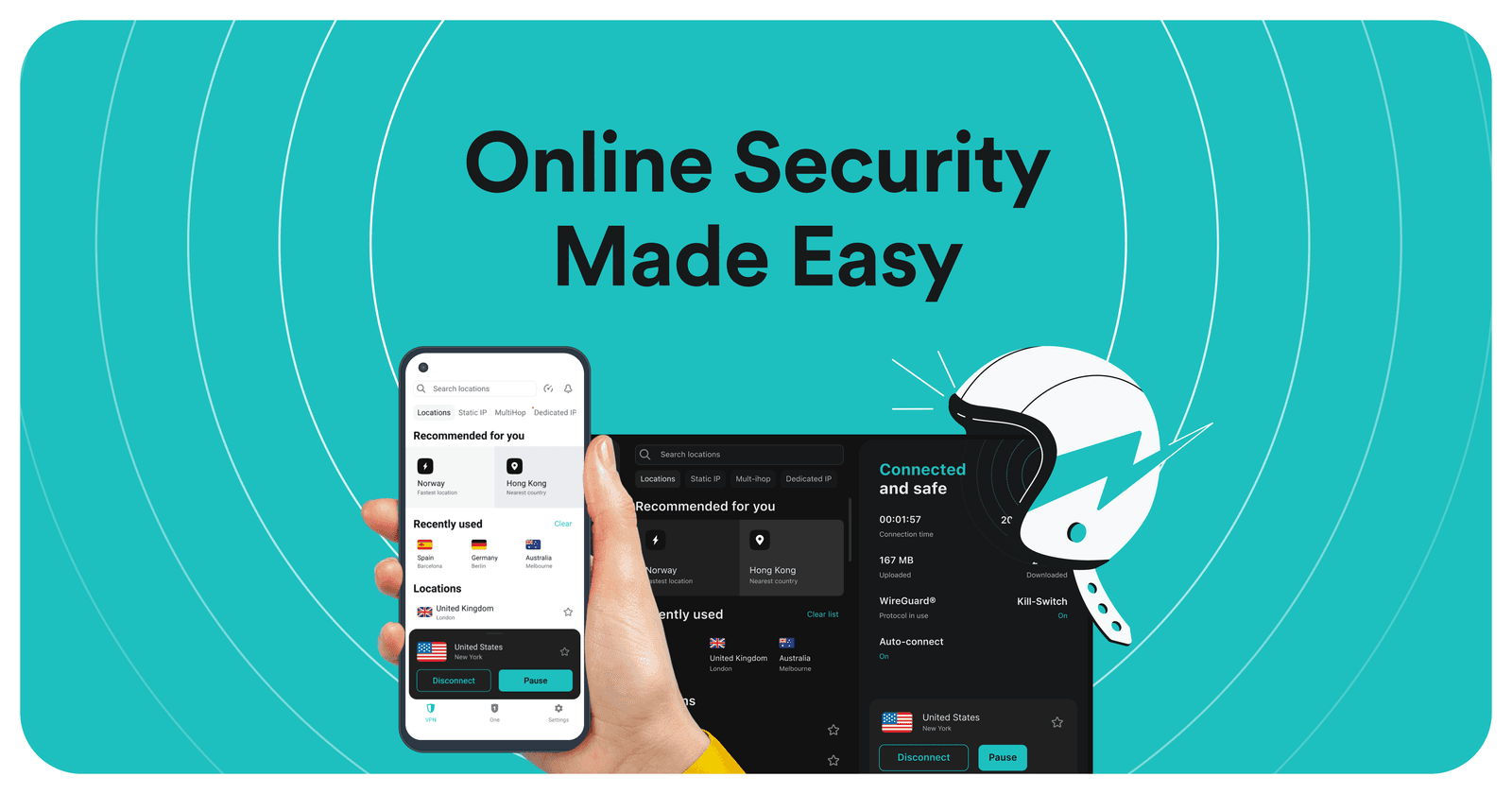
Incogni sends personal-data removal requests to data brokers on your behalf. Inside Surfshark it's only in One+, not in Starter or One. Monthly prices differ from listing to listing, so check the official Incogni page before you pay.
If spam calls and phishing texts won't stop, your phone number may already be listed in several places. Going through those lists company by company is the job Incogni does for you.
This guide answers four questions first: what the service is, who it suits, which Surfshark plan holds it, and where its limits are. Where a detail is missing or listings disagree, such as a button location or today's price, the guide doesn't guess. It points you to the official page.
Table of Contents
- What Incogni does
- Who it suits
- Where it sits in Surfshark plans
- How a removal request moves along
- When price listings disagree
- Removal, a private window, and a VPN: what's different
- Limits
- A plain-English glossary
- Three ways to look at your situation
- You mainly want streaming and public WiFi protection
- You want antivirus and breach alerts too
- You want your listings removed
- What to check before you pay
- A quick pre-purchase table
- After you sign up: what to watch
- A simple way to think about spam
- Frequently Asked Questions (FAQ)
- Is Incogni included in Surfshark One?
- Does it help outside the US?
- Is it the same as a browser incognito window?
- How much does it cost per month?
- How long does removal take?
- Can I buy data removal on its own?
- If I leave a VPN on, will broker lists be cleared too?
What Incogni does
Incogni is a personal-data removal service. It isn't a VPN, and it isn't a private browser window.
Data brokers collect names, phone numbers and addresses from public databases and can sell them to advertisers or scammers. Some listings say spending patterns get added too. That list is named as a reason spam calls and phishing texts keep coming back.
Incogni sends legal removal requests to those companies for you. It asks them to stop collecting and to delete permanently, follows up on whether they complied, and shows results in a dashboard report. You don't write each request by hand.
One note puts the number of targets at more than 420. Another only says several hundred. Since 420 is within several hundred, read the more specific figure, 420 or more, as the working number. Which sites are on the list is something to check on the checkout page and in your report after you join.
Surfshark's security data, summarised as of July 30, 2026, says there are on average 287 account breaches per 100 internet users, and that a typical person has had an email or password exposed close to three times. That figure isn't a result Incogni achieved. It's background showing that leaks are already common.
Data removal doesn't rotate your passwords like a password manager. It asks brokers to delete the contact lists they hold.

Who it suits
If you sort out who it suits and who it doesn't first, the plan names become less confusing.
| Situation | Fit? | Why |
|---|---|---|
| Your number and address are sold and spam and phishing keep coming | Yes | It asks brokers to delete your listing |
| You have no time to write hundreds of requests yourself | Yes | Doing it by hand is described as taking hundreds of hours |
| You worry about records held by overseas platforms and global brokers | Yes | It's described as detecting that scope and pursuing legal removal |
| You only need streaming access and ad blocking | No | Starter is described as enough for that |
| You only need antivirus and breach alerts | No | Those sit in One, and Incogni isn't there |
| You need to change a leaked password right now | No | That is a job for a password change and two-step verification |
Some listings also say it suits people who want to clear their digital footprint. One table points to One+ when you want to tidy the information spread across the internet.
For users outside the US, is it still useful? Listings say yes. The reason isn't a list of local people-search sites. It's the description that it finds records of personal data and email collected by overseas platforms and global data brokers, and pursues legal removal, which helps reduce spam and phishing coming from abroad. No specific local site is named anywhere. Check the official page.
Where it sits in Surfshark plans
Every time Incogni appears in a plan comparison, its position is the same. It's not in Starter and not in One. It's only in One+.
One+ is described as One plus data removal on top, a higher tier. If you only want removal, you can look at the standalone option on the official Incogni page instead of a bundle. A standalone monthly price isn't listed anywhere.
| Item | Starter | One | One+ |
|---|---|---|---|
| VPN | Included | Included | Included |
| Devices | Described as unlimited | Described as unlimited | Described as unlimited |
| CleanWeb ad blocking | Included | Included | Included |
| Real-time antivirus | Not included | Included | Included |
| Alert breach warnings | Not included | Included | Included |
| Incogni data removal | Not included | Not included | Included |
A two-year plan comparison lists a 30-day full refund for all three tiers. The same table lists support for 100 countries across all three. Check refund days and country counts again before you buy, because promotion pages change.
The names of extras that come with One vary between listings. One table puts webcam intrusion protection, email and credit-card monitoring and private search in One and One+. Another puts dark web alerts and alternative email in One. Another puts the iOS 4.0.0 anti-scam feature in One. Incogni alone never moves down to One in any table.
Whether the alternative email feature (Alternative ID) is on Starter also differs. One comparison says all three tiers support it. Another reads as One and above. If you need it, read the included list on the checkout page. That's separate from whether Incogni is included.
Private search remains a One benefit in some price tables. Other listings say Surfshark Search is being retired. It's already gone from the iOS app, ends on Android from the early August 2026 update, and ends on the web by the end of 2026. Even if search appears in a table, don't assume it stays open.
If you want to narrow the tiers further, see the two-year plan comparison and the June 10 pricing overhaul note. TV-side pricing is in the Fire TV pricing note.
How a removal request moves along
The described order has three steps. No listing says which app menu to tap. For the screens, follow the official page and the guide you get after signing up.
- It checks whether your information is in the databases of about 420 data collection companies.
- It automatically sends legal requests demanding that they stop collecting and delete permanently.
- It keeps checking whether they complied and posts results in a dashboard report.
Doing it yourself is described as taking hundreds of hours. Surfshark's own note says the process starts with one click. Which button that is isn't shown in a screenshot, so the dashboard guidance after you join is the reference.
This order differs from turning on a VPN. A VPN encrypts the connection you're using now. Incogni asks for deletion of a list that has already been sold. If you need both, look at a tier that holds both, such as One+. If you only need removal, look at the standalone page.
The order is different again when a dark web alert fires. That guidance says to change the password tied to the leaked email, turn on two-step verification on key accounts, and use an alternative email for later sign-ups. Don't think of receiving an alert and clearing a broker list as one button. How alerts, antivirus and removal divide up is covered feature by feature in the anti-scam feature note.
When price listings disagree
This guide can't set today's price. Monthly prices and discount rates differ from listing to listing, and the number on your checkout screen is the final one.
| Listing | Starter | One | One+ | Other conditions listed |
|---|---|---|---|---|
| June 10 overhaul | $2.49 a month | $2.79 a month | $4.49 a month | 3 extra months on 24 months, up to 85% |
| May two-year table | $1.99 a month | $2.49 a month | $4.19 a month | 3 extra months. Discount listed as 80% or more, or as 87% |
| 8th-anniversary event | VPN plan $1.99 a month | One $2.49 a month | Check checkout | 3 extra months. One+ monthly price left blank |
Within the same One+, 4.19 a month both exist. The anniversary note left the One+ figure blank and pointed to checkout. Discount rates split three ways too: 85%, 80% or more, and 87%. So don't say "One+ costs this much a month right now."
The three extra months show up repeatedly in the promotions above. Whether that bonus is on today's page is a separate question. If you already subscribe, one listing says your current benefits last until the plan ends, and you can choose a new plan when you renew. See the renewal price on that screen.
To see only the plan names and amounts at the time of the anniversary, there's the 8th-anniversary event note. It also hands the One+ monthly price over to checkout.
Removal, a private window, and a VPN: what's different
The names are close enough that people pick the wrong one. A browser's incognito window in particular isn't Incogni.
| Method | What it does | What it doesn't do |
|---|---|---|
| Incogni | Sends legal removal requests to brokers and shows a report | Encrypt your connection, change passwords, clear browser cache |
| Do it yourself | You write the form for each company | Automatic tracking and a dashboard. Described as taking hundreds of hours |
| Browser private window | Clears cookies and cache, then starts a new session | Delete phone and address lists that are already sold |
| A VPN alone | Encrypts the connection and, on the ad-blocking tier, filters ads | Ask brokers to delete records they already hold |
A private window turns up in streaming advice for a different reason. When an old location is stored in a cookie and a foreign-region page won't open, the tip is to clear the cache or reopen in a private window. That's the case in the streaming location error tip and the foreign-region page tip. Opening that window doesn't clear a data broker list.
A VPN alone can hide your current connection at a cafe. The contact details already posted in directories stay where they are. That's why, for streaming and public WiFi alone, Starter is described as enough, and for broker lists you end up looking at One+ or the standalone Incogni.
An identity-theft cover amount of up to $1 million appears in one item, and that's separate from Incogni. That figure describes recovery cost support, not insurance that automatically attaches once a removal request finishes. Whether buying removal opens it is something to check in the included list.
Limits
Data removal doesn't end every privacy problem. Some parts are also left blank in the listings.
- No timeframe. How many days removal takes, you read in the official page and your report after joining.
- No local site names. The overseas-user note speaks of overseas platforms and global brokers.
- No standalone price. The One+ amount in a Surfshark bundle also differs between listings.
- No button names. Only "one click" and the dashboard report are described.
- It doesn't change your passwords or turn on two-step verification for you.
- It doesn't delete the cookies in your browser. That's the job of a private window or clearing the cache.
- Even if Search is on a pricing table, it has its own end date.
The wording about spam dropping noticeably describes a scene of using it with the contact-removal requests running. There's no measurement that spam falls by the same amount for everyone. It's better to look at both the companies left in your report and the routes spam calls still come by.
One comparison lists the Netherlands as the company's base. That's about Surfshark's jurisdiction, and nothing says whether the standalone Incogni is in the same one. When you look at the standalone product, read the terms on the official page.
A plain-English glossary
The vocabulary around this topic trips people up. These are the terms you'll meet.
| Term | Meaning here |
|---|---|
| Data broker | A company that gathers names, phone numbers and addresses from public databases and can sell them to advertisers or scammers |
| Removal request | A legal request asking a broker to stop collecting your data and delete it permanently |
| Dashboard report | The place where Incogni shows whether each company complied |
| One+ | The Surfshark tier that adds data removal on top of One |
| Alert | The breach-warning feature that sits in One and One+ |
| Alternative ID | The alternative email feature, whose tier placement differs between comparisons |
| Private window | A browser mode that clears cookies and cache for a fresh session. Not the same thing as Incogni |
Keep the first two terms in mind and the rest of the guide reads easily. A broker holds the list. A removal request asks for it to be deleted. The report is how you find out whether that actually happened, which is why it's worth opening now and then after you join.
Three ways to look at your situation
Here's a simple way to decide, built from the facts above and nothing else.
You mainly want streaming and public WiFi protection
Starter is described as enough for that job. A VPN encrypts the connection you're using right now, and the ad-blocking tier filters ads. You don't need removal for this use.
You want antivirus and breach alerts too
That's the One tier. It adds real-time antivirus and the Alert breach warnings. It still doesn't include Incogni, so it won't ask any broker to delete a listing.
You want your listings removed
Now you're looking at One+, or at the standalone Incogni page. One+ holds the VPN, ad blocking, antivirus, breach alerts and data removal together. If a bundle isn't what you need, the standalone option is the one to read about on the official page.
| Your main goal | Where to look |
|---|---|
| Streaming and shared WiFi | Starter |
| Antivirus and breach alerts | One |
| Delete listings held by brokers, with the rest bundled | One+ |
| Delete listings held by brokers, nothing else | The standalone Incogni page |
What to check before you pay
A few minutes of reading saves a lot of confusion later.
- The plan list. Confirm that Incogni appears in the included features of the tier you're buying. It's only in One+.
- Today's price. The listings above show several different monthly figures, so trust the checkout screen.
- Extra months. The three extra months appear repeatedly in promotion material, but whether they apply today is a separate question.
- Refund days. A two-year comparison lists 30 days for all three tiers. Confirm that on the page you're buying from.
- Search. If private search is part of why you're buying, remember it has an end date.
- Renewal. If you already subscribe, your current benefits last until the plan ends, and you pick a new plan at renewal.
A quick pre-purchase table
| Check | Why it matters |
|---|---|
| Incogni in the included list | It's only in One+, not in Starter or One |
| Final price at checkout | Notes list 4.19 a month for One+, and one leaves it blank |
| Extra months | Repeated in promotions, but may not apply today |
| Refund window | Listed as 30 days on a two-year comparison |
| Search status | Ending on iOS, Android and the web on the dates given earlier |
After you sign up: what to watch
Once removal is running, the report is your main window. You'll want to look at two things together: which companies have complied, and which routes spam still arrives by.
If spam calls keep coming after a while, don't conclude it failed. Look at the companies still listed in your report and at the number, email or sender the calls come from. The claim that spam drops noticeably describes a scene where requests are running. There's no measurement promising the same drop for every person.
Keep your other habits going too. Removal doesn't change passwords or turn on two-step verification. If a dark web alert fires, change the password tied to the leaked email, turn on two-step verification on key accounts and use an alternative email for later sign-ups. Those steps and broker removal are separate jobs.
A simple way to think about spam
Spam calls and phishing texts feel random, but they usually follow a trail. Your number or email sits on a list, the list gets sold, and the messages arrive.
There are two ways to cut the flow. One is to deal with each message as it lands, by blocking numbers and ignoring links. The other is to go to the source and ask the list holders to delete you. Incogni is built for the second route.
The two work well together. Blocking handles today's calls. Removal works on why they keep coming. Neither one replaces a strong password or two-step verification on your accounts, which stay your own job.
| Approach | What it deals with | Limit |
|---|---|---|
| Blocking and ignoring | The call or text in front of you | The next one still arrives if you're still on the list |
| Removal requests | The list that feeds the spam | No promised timeframe, and results show up in your report |
| Strong passwords and two-step verification | Account takeover after a leak | Doesn't remove you from any broker list |
Frequently Asked Questions (FAQ)
Is Incogni included in Surfshark One?
No. In each comparison table it's only in One+, not in Starter or One. One is up to antivirus and breach alerts, and data removal is a tier above.
Does it help outside the US?
It's described as finding records of personal data and email collected by overseas platforms and global data brokers and pursuing legal removal. It's described as aimed at reducing spam and phishing that arrive from abroad. Whether a specific local site is on the list isn't stated. Check the official page.
Is it the same as a browser incognito window?
No. A private window is a browser feature that clears cookies and cache and starts a fresh session. Incogni is a service that sends removal requests to data brokers. The names are close, but what they do is different.
How much does it cost per month?
That can't be pinned to one figure. For One+ alone, 4.19 a month and a blank price all appear. Discount rates also split into 85%, 80% or more, and 87%. For today's price, extra months and the standalone price, check the official Incogni page and the checkout screen.
How long does removal take?
No timeframe is given. The order given is detection, sending legal requests, tracking compliance, and a dashboard report. When it finishes, read your report after joining and the official page.
Can I buy data removal on its own?
Listings repeatedly point you to look at it separately. The route without a Surfshark plan leads to the official page. The standalone price, refund terms and supported device count aren't listed. If you don't need a bundle, read the standalone terms on that page and decide.
If I leave a VPN on, will broker lists be cleared too?
No. A VPN encrypts the connection you're on now. The phone number and address already posted need a removal request to be dealt with. If you want both, look at One+. If you only want removal, look at the standalone page.
Compare other VPNs
Based on current official promotions. Confirm the final terms on each official site.
NordVPN
- Limited-time official deal
- Ends 11/30
ExpressVPN
- Limited-time official deal
- Ends 11/03
ProtonVPN
- Limited-time official deal
- Ends 11/30