
- Published on
Roaming vs Local SIM vs Saily eSIM: Cost Compared (2026)
- Authors

- Name
- VPN Mall Editorial Team
This article contains affiliate links. If you buy through them, VPN Mall may earn a commission at no extra cost to you, and it does not affect how we evaluate services.
Prices and discounts in this article are as of 2026-10-27. Check the official site for current terms.
Featured service: Saily
Check current prices and discounts on the official site.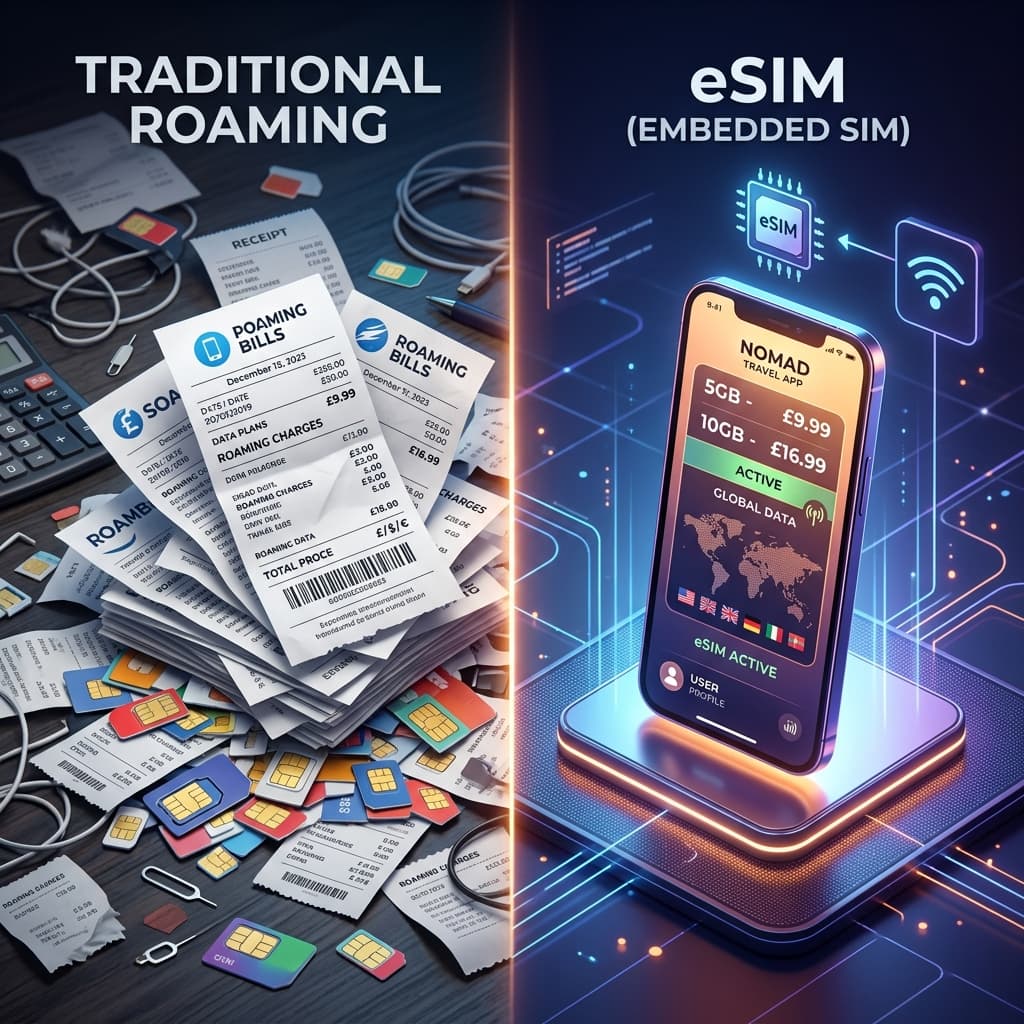
Travel demand has jumped, and plenty of people are in the middle of planning a trip. Restaurant searches, translation, maps and social posts all need a data connection. Travelling without a working phone is hard to imagine.
When you need mobile data abroad, you have three main options.
- Data roaming from your home carrier. The most familiar method, and the most expensive.
- A local physical SIM. The traditional route, and the most awkward.
- An eSIM, or digital SIM. The newest option in 2026.
This guide compares them on cost, convenience, speed and the risk of losing a chip. It also explains why Saily, the eSIM from the makers of NordVPN, is a popular alternative.
If you're picking an eSIM for the first time, start with our guide to choosing a travel eSIM.
Table of Contents
- 1. Cost and value: no more roaming bill shock
- Carrier roaming
- A local prepaid SIM
- Saily eSIM: strong value
- 2. Convenience and time: don't queue at the airport
- Roaming and pocket Wi-Fi
- Local physical SIM
- Saily eSIM: a minute in the app
- 3. Keeping your home number with dual SIM
- The serious flaw of a physical SIM swap
- Saily's dual standby: the clean fix
- 4. Coverage and speed: Nord Security's engineering
- Side-by-side summary table
- What to check before installing a Saily eSIM
- 1. Does your smartphone support eSIM?
- 2. Is your phone carrier locked?
- 3. Install on Wi-Fi
- 4. Don't delete the eSIM profile in a hurry
- Saily eSIM installation, step by step
- Step 1: install the Saily app
- Step 2: pick a destination and a data package
- Step 3: pay and install the profile
- Step 4: set up dual SIM
- Step 5: turn on data roaming after you arrive
- Which option for which kind of trip
- When the internet won't work abroad
- Stay safe abroad: use an eSIM and a VPN together
- Night-before checklist: finish your connectivity prep in one go
- If you're travelling as a family
- For long trips and extended work stays
- Tidy up when you get home
- Putting the numbers in context
- Where hidden costs come from
- A quick way to choose
- What each option does well
- Matching the plan to your habits
- Keep an eye on the data counter
- Frequently Asked Questions (FAQ)
- Q1. Can I get texts on my home number with an eSIM?
- Q2. Does every smartphone work with a Saily eSIM?
- Q3. When is the best time to install an eSIM?
- Q4. What if I run short of data mid-trip?
- Conclusion: no more agonising in 2026
- Recommended VPN offers
- Related reading
1. Cost and value: no more roaming bill shock
Data is a surprisingly large part of a trip budget. The gap between methods is big.
Carrier roaming
Price is the biggest weakness of roaming. A day of unlimited data, with a speed cap after a set amount, typically costs 10,000 to 13,000 won per day. On a four-night, five-day trip, that passes 50,000 to 60,000 won on connectivity alone. There's also the constant risk of a bill shock if you set the data block wrong.
A local prepaid SIM
This means buying a physical SIM at a local carrier booth after you land. It's cheaper than roaming, but airport booths often add a premium over city shops. It's also hard to find a plan that exactly matches your trip, so people often end up pressured into bigger plans than they need.
Saily eSIM: strong value
A Saily eSIM is downloaded digitally, so there's almost no distribution margin or physical cost. That lets it offer data packages at a price below or close to a local SIM. For example, a package of 3GB for seven days is typically about the price of a coffee or two, and for longer trips the value of 10GB and 20GB packages beats carrier roaming by a wide margin.
2. Convenience and time: don't queue at the airport
After landing abroad, passport control and baggage claim wear you out. Time spent on phone setup is time taken from your trip.
Roaming and pocket Wi-Fi
Roaming needs to be arranged through your carrier's app or an airport roaming desk before you go. It's easy, but it's expensive. Pocket Wi-Fi means taking a ticket at the airport, collecting and returning a device, carrying around a heavy battery pack and keeping it charged.
Local physical SIM
At your destination airport you queue at a SIM booth. You then pop out your old SIM with a pin and carefully insert a tiny chip without dropping it. And you have to keep your original home SIM safe in the corner of your passport holder or wallet for the whole trip, which is a lot of stress.
Saily eSIM: a minute in the app
"Download, Install, Connect"
Saily's convenience is hard to beat. At home, on the sofa, you open the app. You pick a destination, tap pay, and the profile installs on your phone. When the plane lands and you turn on the phone, you simply tap the Saily line in settings and the internet is on. There's no physical chip swapping, so there's nothing to lose.
3. Keeping your home number with dual SIM
This matters most for business travellers and anyone who must receive important messages.
The serious flaw of a physical SIM swap
The moment you take out your home SIM and insert a local one, your home number stops working. You can't receive urgent calls from home or the verification messages, whether ARS or SMS, that banks send. For business, that effectively stops you.
Saily's dual standby: the clean fix
Saily makes full use of your phone's dual SIM feature.
- Voice and text line: keep your existing home SIM, so you can still receive calls and messages on your home number
- Data line: assign the low-cost Saily eSIM
With this setup you receive your bank payment alerts on your normal number while your map data runs cheaply over the Saily network.

4. Coverage and speed: Nord Security's engineering
You may have bought a cheap virtual operator SIM or an unknown company's pan-Asia SIM and then waited ages for a single text message to send.
Data roaming and SIMs carry a priority level on the local network. Cheap resold SIMs get pushed down in the queue in crowded places such as Disneyland, Dotonbori and Times Square, and the connection can drop completely.
Saily, on the other hand, runs on a global backbone partnership built by Nord Security (NordVPN), which is described as the world's leading privacy and network company. It gives priority to the strongest tier-one carrier lines across 150 countries, which helps keep slowdowns to a minimum and holds a stable 5G or 4G speed.
Side-by-side summary table
| Criteria | Carrier roaming | Local physical SIM | Saily eSIM |
|---|---|---|---|
| Average cost per day | 10,000 to 13,000 won | 3,000 to 5,000 won | 2,000 to 4,000 won |
| Time to get connected | Instant (prepared ahead) | 20 to 30 minutes (queue and swap) | 1 minute (tap to install in the app) |
| Receiving home number texts | Yes | No (the SIM is swapped) | Yes (dual SIM kept) |
| Risk of losing a chip | None | High risk of losing your home SIM | None (no physical form) |
| Global compatibility | Limited to carrier-supported countries | Only in the country where you bought it | 150 countries in the app, switch instantly |
What to check before installing a Saily eSIM
The first question is always whether it works on your phone. You'd check your foot size before buying new shoes, and eSIM works the same way. A few checks ahead of time mean no surprises at your destination.
1. Does your smartphone support eSIM?
Most recent smartphones support eSIM, but it can depend on the model and the region where it was sold. To be sure, check the supported device list in the Saily app or on its official site. If you guess, you'll only learn the answer once you've landed.
2. Is your phone carrier locked?
Some phones are locked to a single carrier. A different company's eSIM won't work on them even if it installs. If you bought your phone abroad or you're on a contract phone, ask your carrier before you leave.
3. Install on Wi-Fi
The eSIM profile is downloaded over the internet. Install it at home or on airport Wi-Fi beforehand. If you try to install at your destination, you may need internet that you don't have yet, a bit like leaving your key inside and locking the door.
4. Don't delete the eSIM profile in a hurry
If the internet doesn't work mid-trip, don't delete the eSIM immediately. A deleted profile may not be reusable. Try the troubleshooting steps below first.
Saily eSIM installation, step by step
We said earlier that it's a minute in the app. Here are the steps in order.
Step 1: install the Saily app
Download Saily from the App Store or Google Play. Check that the developer name is right.
Step 2: pick a destination and a data package
Search for your destination and choose the data amount that fits your trip length. If you mostly use maps and messaging, a small package is enough. If you often post video, a large package is more reassuring.
Exact prices differ by country and package, so check current terms in the app.
Step 3: pay and install the profile
After payment the app shows install instructions. Follow them and the profile is added to your phone.
Rename the line to something easy to recognise, like Saily or Travel. It makes picking the line much less confusing later.
Step 4: set up dual SIM
This is the dual standby setup described earlier.
- Voice and texts: your existing home line
- Mobile data: the Saily line
Then switch off data roaming on the home line. Leaving it on can bring back the worry of a bill shock.
Step 5: turn on data roaming after you arrive
After you leave the plane, switch to the Saily line in settings. Data roaming must be on for the Saily line.
It's an easy thing to mix up, so here's the summary. Roaming off on the home line, roaming on for Saily.
Which option for which kind of trip
There's no single answer for every traveller. Here it is by travel style.
| Trip type | Suggested option | Why |
|---|---|---|
| Short getaway | Saily eSIM | Install before you leave, connect on arrival |
| Several countries in a row | Saily eSIM | Switch country packages instantly in the app |
| Business trip where home contact matters | Saily eSIM | Dual SIM keeps your home number |
| Trip shared by several people | Pocket Wi-Fi | One device can be shared (watch the battery) |
| Phone without eSIM | Local physical SIM | Swap the chip, and keep the home SIM safe |
| Parents who find settings hard | Carrier roaming | A familiar method, though it costs more |
For most personal trips, an eSIM fits well. If your phone doesn't support eSIM or setup feels difficult, the other options remain perfectly reasonable.
When the internet won't work abroad
Landing with no connection is a real shock. Most cases are down to a setting and clear up quickly.
- Check the data line. Look that mobile data is assigned to the Saily line.
- Check data roaming. Make sure data roaming is on for the Saily line.
- Turn airplane mode on and off. It makes the phone look for the network again.
- Restart the phone. A surprising number of problems end here.
- Contact support. If it still fails, use the in-app customer support.
If airport or hotel Wi-Fi is available, a short connection to ask support is another option.
Stay safe abroad: use an eSIM and a VPN together
An eSIM solves your data line. On a trip, though, you also tend to use hotel and cafe Wi-Fi.
With public Wi-Fi you can't tell who else is connected. A VPN encrypts your traffic and makes it much safer.
Remember that Nord Security, which makes Saily, also makes NordVPN. If you expect to handle overseas payments or banking apps on the road, it's worth considering them together.
👉 Check NordVPN's current offers
Night-before checklist: finish your connectivity prep in one go
The night before you leave is hectic, and connectivity is easy to forget. Run through this list the way you check for your passport.
- Did you confirm your phone supports eSIM?
- Did you choose a package that fits trip length and usage?
- Did you install the eSIM profile on Wi-Fi?
- Did you rename the line so it's easy to recognise?
- Did you turn off data roaming on the home line?
- Did you note which settings to switch on at your destination?
- Did you install a VPN app for public Wi-Fi?
Switching off roaming on the home line is the key item. Even with the eSIM installed, forget that and a separate roaming charge can appear.
If you're travelling as a family
If everyone wants their own internet, decide in advance who uses which method.
- Family members with recent phones: each gets a Saily eSIM
- Parents who find settings hard: carrier roaming or a relative's hotspot
- Children: connect through a parent's hotspot
Remember that a hotspot drains data quickly. If several people share a line, choose a bigger package.
For long trips and extended work stays
The longer you travel, the bigger the cost gap with roaming becomes. As in the comparison table, roaming charges accumulate day by day.
In that case, instead of buying a very large package at the start, you can start with a modest package and add more in the app if you run short. You can adjust as you see how much you actually use.
Tidy up when you get home
When you return, switch mobile data back to your home line. Forget it and you may be surprised when data doesn't work at home.
Remove a used eSIM profile only after you've confirmed the package has finished. Check in the app first whether you can reuse it on a later trip.
After one try, your next trip gets much easier. The night before you fly, you choose a package in the app at home and install it, and that's the whole job. Time you save by skipping the airport queue is time you gain on your holiday. Only the first time feels unfamiliar, and from the second time it's simple.
If you travel often, it helps to know the package prices for the countries you visit most. It lets you plan the connectivity part of your travel budget with much more accuracy. A little preparation gives the trip some breathing room.
Putting the numbers in context
Per-day figures make roaming look painful, but it's worth seeing how they behave over a whole trip. The comparison above gives roaming at 10,000 to 13,000 won a day, a local SIM at 3,000 to 5,000 won and Saily at 2,000 to 4,000 won. Multiply those by the number of days and the gap grows with every extra night.
On a four-night, five-day trip, roaming alone passes 50,000 to 60,000 won. A short weekend might not hurt much, but a ten-day trip turns roaming into one of the largest line items on the budget. That's why the advice to start with a modest package and top up later makes sense: you pay for what you use, not for a worst case.
Where hidden costs come from
Direct prices only tell part of the story. Think about the costs that don't show up on a price tag.
- Time at the airport. A local SIM booth can mean a 20 to 30 minute queue and swap, which is time taken from your first evening.
- Plans that don't fit. At a booth it's hard to find a package that matches your trip length, so people often take a bigger plan than they need.
- Airport premiums. Booths at the airport often charge more than shops in the city.
- Bill shock. Mis-setting the data block on roaming can lead to a surprise charge.
- Lost chips. Misplacing your home SIM turns a small mistake into a big problem.
An eSIM removes most of these. There's no queue, you choose the package at home, and there's no chip to lose.
A quick way to choose
Ask yourself three questions.
- Does my phone support eSIM? If not, a local SIM or roaming is your answer.
- Do I need to receive texts on my home number? If so, use an eSIM with dual SIM, or roaming.
- Is the trip longer than a couple of days? If so, roaming costs climb quickly and an eSIM saves more.
If you answer yes to the first two, and the trip is more than a weekend, the eSIM route usually wins. If your answers point elsewhere, the other options are still valid.
What each option does well
Each option has a job it does better than the others, and it's fair to say so.
Roaming is the easiest. Nothing to install, nothing to remember, and it works the moment you land. For a one-night trip that simplicity is worth the price.
A local SIM can suit long stays. Some services ask for a local number, and a physical SIM gives you one. If you're settling in somewhere for months, it may be the right tool.
An eSIM is the best fit for the typical independent traveller. It's cheap, it's quick and it keeps your home number alive through dual SIM. That combination is why it keeps coming up in this guide.
Matching the plan to your habits
How you use your phone matters as much as where you're going. Someone who only checks maps and sends messages needs far less than someone who uploads video. Before you buy, think about a normal day of your own: how many times you'll open a map, whether you'll stream anything, and whether you'll share data with a companion.
If you want a smaller bill, adopt the habits that save data. Download maps and videos at home, switch photo backup to Wi-Fi, and keep automatic updates off while you travel. These small steps stretch any package and make it easier to start small.
Keep an eye on the data counter
Whichever package you pick, check the remaining data in the app now and then. A glance at breakfast and again in the evening is enough to see your pace. If you're burning through it faster than planned, you can top up in the app before you reach zero, instead of finding out at a bad moment.
Frequently Asked Questions (FAQ)
Q1. Can I get texts on my home number with an eSIM?
Yes. With dual SIM you can. Keep your home line for voice and texts, and set the Saily eSIM as the data line. That way bank verification texts still reach you.
Q2. Does every smartphone work with a Saily eSIM?
Only devices that support eSIM can use it. Most recent models do, but it depends on the model and the region where it was sold. Check the Saily supported device list before you leave.
Q3. When is the best time to install an eSIM?
Install it before you leave, somewhere with Wi-Fi. That's because the profile needs an internet connection to download. After you arrive, you only need to turn the line on and use it.
Q4. What if I run short of data mid-trip?
You can buy an extra data package in the Saily app, and you don't need to look for an airport shop or a store. Check the app for the latest conditions on top-ups.
Conclusion: no more agonising in 2026
Are you still deciding whether to take roaming or buy a SIM? Today the smartest, best-value and safest answer is clearly an eSIM.
Among them, the Saily eSIM, backed by Nord Security, a global company that has handled traffic for millions of users, can raise the quality of your trip. Install the Saily app now and use the exclusive 10% coupon code provided below to cut your first trip's data cost.
Check Saily plans and the 10% code
Recommended VPN offers
Use a trusted premium VPN for safe overseas payments and protection from public Wi-Fi hacking. These are special discount links for visitors.
👉 NordVPN: up to 72% off plus 3 months free
👉 Surfshark: up to 80% off plus 2 extra months (best value)
👉 ExpressVPN: special discount offer (top for speed)
Related reading
Compare other VPNs
Based on current official promotions. Confirm the final terms on each official site.
NordVPN
- Limited-time official deal
- Ends 11/30
Surfshark
- Limited-time official deal
- Ends 12/01
ExpressVPN
- Limited-time official deal
- Ends 11/03